

Accounting and accounting connections
Everything for your accountant in one ZIP, a booking file per invoice line, accounts and VAT codes, and the connections with accounting packages.
Invoicing › Accounting collects everything for your accountant. The page has three tabs: Export, Accounts and VAT codes and Log.
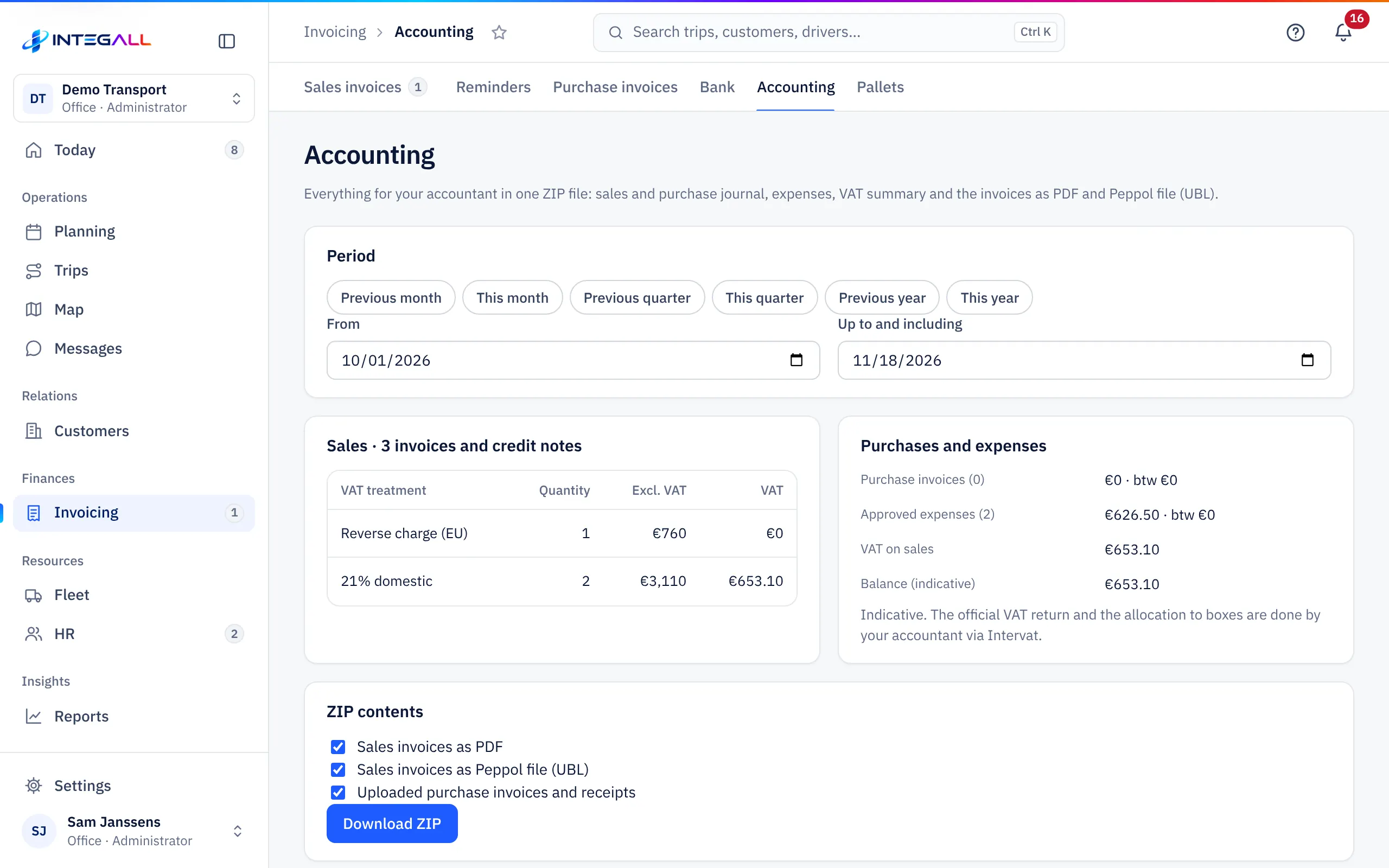
Choose the period#
Choose Previous month, This month, Previous quarter, This quarter, Previous year or This year, or fill in From and Up to and including. The page then shows:
- sales per VAT regime (Quantity, Excl. VAT, VAT);
- purchases and approved expenses with their VAT;
- an indicative VAT balance.
The ZIP for your accountant#
Download ZIP creates one file with the sales and purchase journal, the expenses, a VAT summary and, as you choose, Sales invoices as PDF, Sales invoices as Peppol file (UBL) and Uploaded purchase invoices and receipts.
Booking file for your accounting package#
The booking file has one row per invoice line with account, VAT code and journal, in a general format. It is not the official import format of a particular package; check the first import together with your accountant.
- First fill in the journal codes, revenue accounts and VAT codes per VAT regime under Accounts and VAT codes.
- Under Export choose Sales invoices or Purchase invoices. An invoice missing an account or code shows not ready with the reason.
- Choose the format: CSV (;), Excel (.xlsx) or ZIP: CSV + UBL per invoice.
- Choose Export.
After exporting, the invoices are marked as exported. An invoice that changes afterwards gets the label changed after export. Also select invoices already exported exports them again. The Log shows every export.
Connections with accounting packages#
Under SettingsIntegrations, category Accounting and e-invoicing (Peppol), every package has its own tile: Yuki, Octopus, WinBooks on Web, Odoo, ClearFacts, and for Peppol Recommand and e-invoice.be. Open the tile of your package for the steps and what the connection does.
- Credentials are stored encrypted on the server and never come back to the browser.
- A tile shows Not installed yet as long as your company has not set up the connection.
- Exact Online is listed as having no direct connection: use the booking file for it.
See also Integrations.