

Expenses
Record diesel, toll, parking and other spending, approve and reimburse drivers' expenses, import fuel card and toll files.
Expenses (under HR) holds diesel, toll, parking and other spending. Expenses that drivers enter in the app wait for your approval.
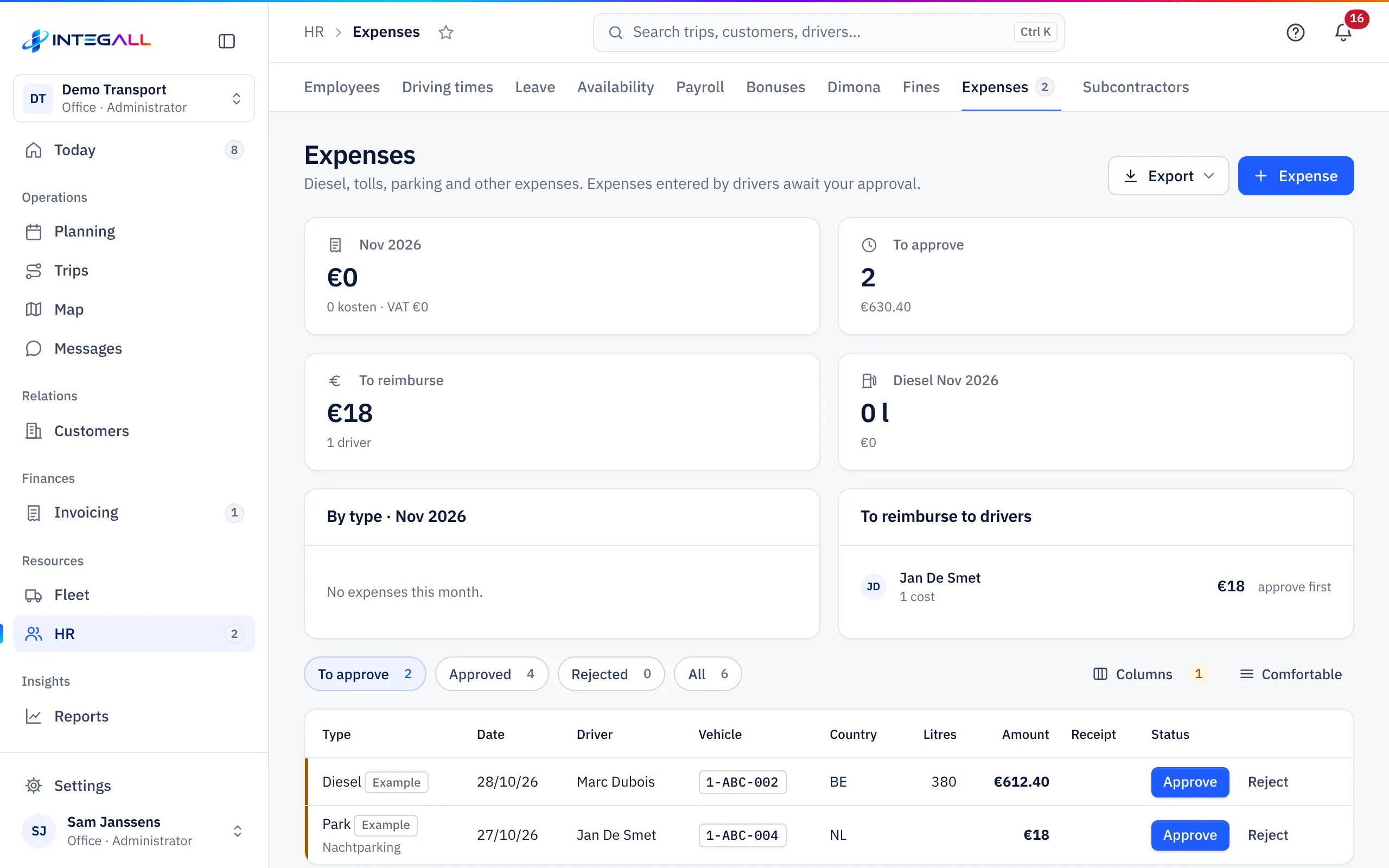
The overview#
At the top: the month's total with VAT, To approve (to approve), To reimburse (to reimburse, and to how many drivers) and the month's diesel in litres and euros. The card By type shows the split, the card To reimburse to drivers what you still owe each driver.
Filters: To approve, Approved, Rejected and All. Columns: Type, Date, Driver, Vehicle, Country, Litres, Amount, Receipt and Status.
Approve drivers' expenses#
A driver enters an expense in the app, with kind, date, country, currency, amount, litres (for diesel), odometer reading, how it was paid, vehicle, trip and a photo of the receipt. See Expenses and odometer in the driver app.
- Open the To approve filter.
- Look at the receipt.
- Choose Approve or Reject. When rejecting you give a reason; the driver sees that reason.
The office converts an expense in another currency into euros when approving. What the driver paid with their own money (Out of pocket (to reimburse)) goes to To reimburse to drivers after approval.
Whether a photo of the receipt is required is set in Company settings › Driver app.
Enter an expense yourself#
Choose Expense and fill in the same form.
Import fuel card and toll files#
Under Fleet you find Fuel card and Toll:
- Fuel card import: choose the CSV export of your fuel card (DKV, Shell, TotalEnergies, AS24 or another provider). You first see a preview; then every refuelling becomes an approved expense on the right vehicle, recognised by number plate or card number. Duplicate refuellings are skipped. Tip: enter the fuel card number on every vehicle.
- Toll import: choose the detailed statement (CSV or Excel) of Viapass, Satellic, Telepass, DKV or another toll provider. The amounts are grouped per vehicle and per day (Group per vehicle and per day), linked to that day's trip and booked as an approved expense. Recognition via number plate or the OBU number in the vehicle record.
With a direct fuel card connection (for example DKV or Shell, under Integrations), transactions come in automatically once the connection is active.
Costs per trip#
Expenses with a trip also appear in the Expenses tab of the trip record and count towards the trip's margin and towards Profitability.