

e-CMR, the electronic consignment note
Create and issue an electronic consignment note, have it signed by sender, carrier and consignee, with a check by QR code.
An e-CMR is an electronic consignment note. Sender, carrier and consignee sign digitally, the check is done with a QR code, and the consignment note is kept safely for 7 years. All e-CMRs are under Trips › e-CMR.
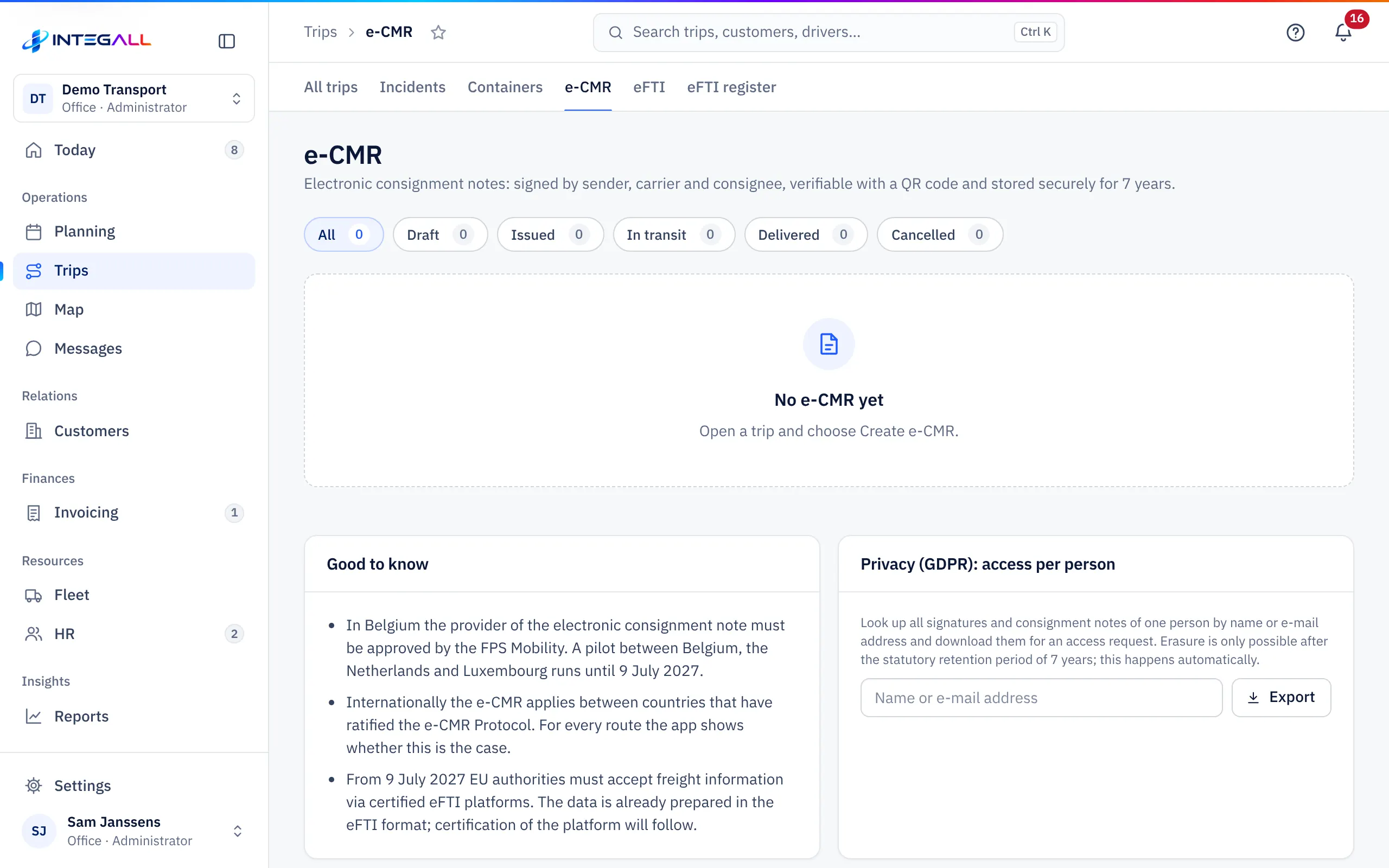
May I use an e-CMR?#
INTEGALL shows for every route whether the e-CMR is accepted there:
- Domestic transport in Belgium: the electronic consignment note is allowed through a provider recognised by the Belgian FPS Mobility.
- Between Belgium, the Netherlands and Luxembourg a pilot project runs until 9 July 2027.
- Internationally, the e-CMR applies between countries that have ratified the e-CMR protocol. Belgium has not yet ratified the protocol outside the Benelux.
If the app says that not all countries on the route accept the e-CMR, the driver also carries a paper CMR (CMR (PDF) in the trip record).
Create an e-CMR#
- Open the trip and go to the e-CMR tab.
- Choose Create e-CMR. The trip data (parties, addresses, cargo, dates) is copied.
- Complete what is missing. Still to fill in before issuing: lists what is still needed.
- Choose Save to keep a Draft, or Save and issue.
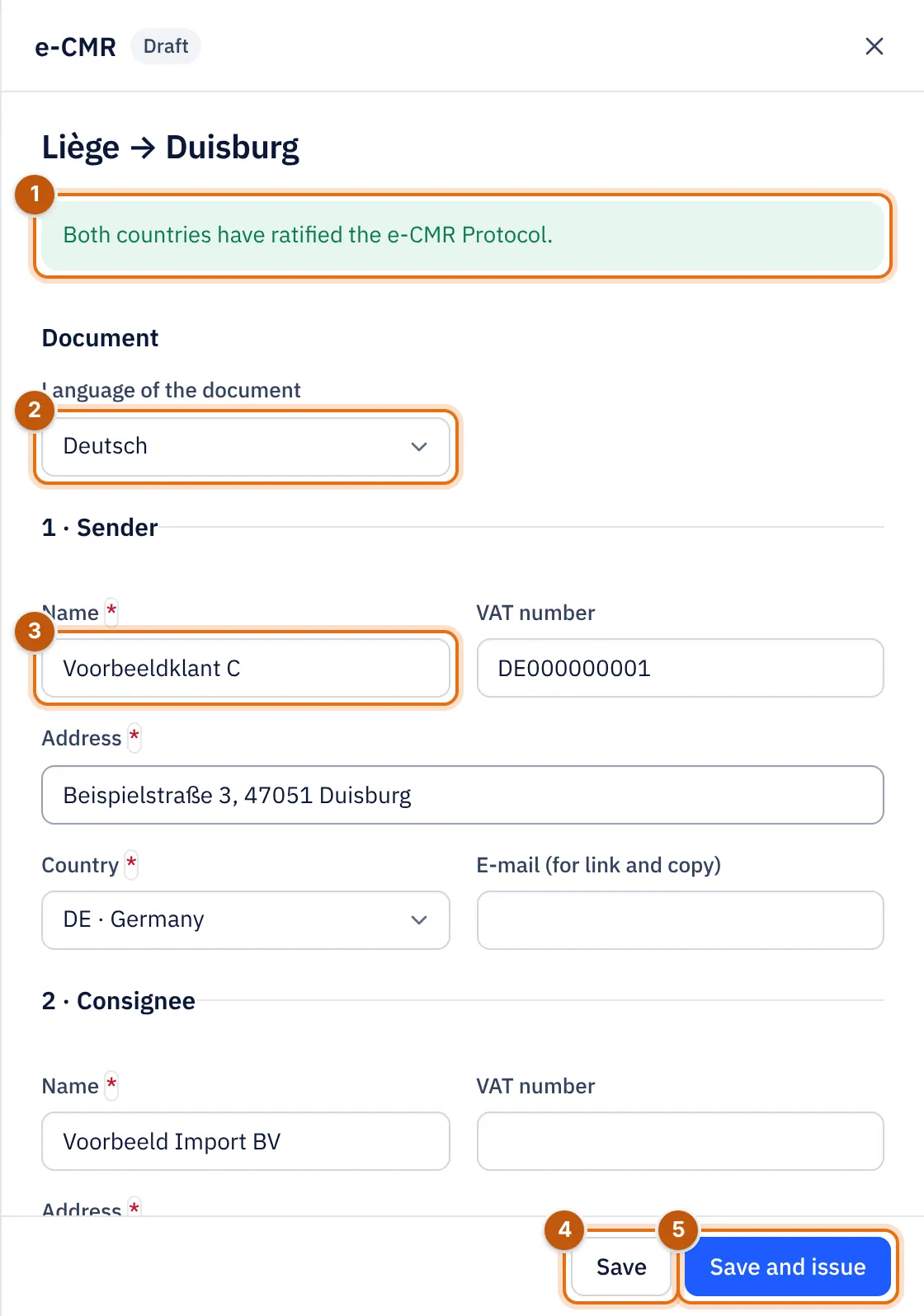
- Whether the e-CMR is accepted on this route.
- The Language of the document.
- The parties with address and country. Fields with an asterisk are required.
- Save keeps a Draft.
- Save and issue.
After issuing, the consignment note gets a unique number and the data is locked. Changes are then only possible as long as nobody has signed (Edit again).
Signing#
Every party signs: Sender, Carrier and Consignee. There are two ways:
- On the device: with Sign on this device the person signs with a finger on the phone or tablet, for example the driver or the consignee at delivery. If you enter an e-mail address, the person confirms that address with a code.
- With a personal link: with Send link the party gets a link by e-mail and signs on their own device, optionally confirmed with an e-mail code.
When signing, the consignee can indicate whether the goods were received in good condition and complete, or With reservations (with reservations), with an explanation (damage, shortage, waiting time), the number of Pallets delivered and Empty pallets returned.
The status follows the signatures: Draft, Issued, In transit and Delivered. The list shows per e-CMR how many parties have signed.
Events and hash chain#
On the road you record events with Add event: a remark, a reservation, an instruction from the sender, a delay or damage. Every event is recorded with its time in the hash chain and can no longer be changed. This makes the document tamper-evident: any later change stands out. Under History and hash chain you see Hash chain intact.
Check with the QR code#
The PDF of the e-CMR has a fixed QR code. It only shows a summary without personal data.
An inspector who needs to see the full consignment note gets a temporary code:
- Open the e-CMR and go to Temporary inspection codes.
- Choose New inspection code. Choose the Validity, the Number of openings and optionally the inspector's e-mail address as a second factor.
- Choose Create code. The code is shown only once; afterwards INTEGALL keeps only a hash.
- Revoke code makes a code invalid immediately.
A code can only be created once the e-CMR is issued. Every view is logged in the Access register (30 days).
Cancel#
Cancel e-CMR cancels an e-CMR, with a reason. A cancelled e-CMR is kept.
Privacy: access per person#
Under Privacy (GDPR): access per person you search all signatures and consignment notes of one person by name or e-mail address and download them for an access request (Export). Erasure is only possible after the legal retention period of 7 years; that happens automatically.